
This GeneratePress review is based on my real experience using the theme across multiple blogs and affiliate websites for several years. I am not changing themes every year just for trends — in 2026, I’m still happily using GeneratePress because it delivers exactly what serious website owners need: speed, stability, clean code, and full design control without bloat.
If you’re searching for:
- GeneratePress Review 2026
- GeneratePress Theme Review
- GeneratePress Premium Review
- GeneratePress One Review
- Is GeneratePress worth it?
- GeneratePress vs other WordPress themes
You’re in the right place. This is not a fluff article rewritten from official docs. This is my hands-on, no-BS review after running multiple sites on GeneratePress for years.
✅ My Verdict – GeneratePress Review 2026
| Factor | My Honest Verdict |
|---|---|
| Overall Rating | ⭐ 4.9 / 5 |
| Ease of Use | Very Good (easy for bloggers, powerful for developers) |
| Performance | ✅ Outstanding – among the fastest WordPress themes |
| SEO-Friendly | ✅ Yes – clean code, lightweight structure |
| Design Flexibility | Excellent with GenerateBlocks Pro |
| Starter Sites & Patterns | ✅ 80+ starter sites, 200+ design patterns |
| Support Quality | ✅ Fast, knowledgeable, and reliable |
| Updates & Stability | ✅ Safe and well-tested releases |
| WooCommerce Support | ✅ Optimized and flexible |
| Pricing Value | Excellent for multi-site owners |
| Best For | Bloggers, affiliate websites, agencies, developers |
| Not Ideal For | Users who want heavy drag-and-drop builders |
| My Recommendation | ✅ Strongly recommended for serious sites in 2026 |
If you’re building WordPress blogs, affiliate sites, service websites, or WooCommerce stores and want something that’s fast today and safe for the next 5+ years, GeneratePress is a very safe, conversion-friendly choice.
💡 Short answer: If you asked me, “Which theme should I choose for my next money site in 2026?” — I’d still say GeneratePress without thinking twice.
👉 Check GeneratePress One & GP Premium (Latest Pricing & Deal)
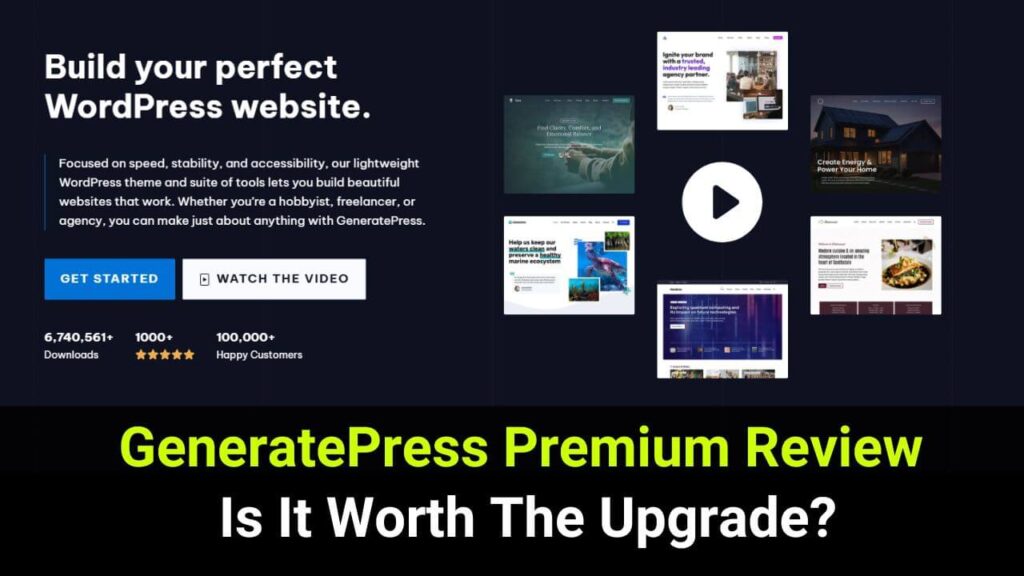
What Is GeneratePress in 2026
In simple words, GeneratePress is not just a WordPress theme anymore — it’s a complete website-building ecosystem.
In this part of my GeneratePress review 2026, let me explain what GeneratePress really is today and why it feels more like a framework than a traditional “ThemeForest-style theme”.
At its core, GeneratePress is a lightweight, performance-focused WordPress theme built for speed, stability, accessibility, and long-term scalability. Unlike heavy multipurpose themes that bundle everything into one giant package, GeneratePress follows a modular approach — you enable only what you need and keep your site lean.
Over the years, GeneratePress has grown far beyond just a theme. In 2026, it now includes:
The GeneratePress Ecosystem
Here’s what GeneratePress looks like today:
| Component | What It Does |
|---|---|
| GeneratePress Theme | The lightweight performance-focused WordPress theme |
| GP Premium | Unlocks advanced layout, typography, hooks, and theme builder |
| GenerateBlocks | Block-based page builder without bloat |
| GenerateBlocks Pro | Dynamic blocks, advanced styling, patterns |
| GenerateCloud | Pattern library cloud for multi-site workflows |
| GeneratePress One | All-in-one bundle with future product access |
When you buy GeneratePress One, you’re not just getting a theme — you’re buying an entire toolkit for building modern WordPress sites.
Who GeneratePress Is Built For
From my experience, GeneratePress works brilliantly for:
- Bloggers and affiliate marketers
- Freelancers & developers
- Agencies building multiple websites
- WooCommerce stores
- SEO-focused site owners
- Anyone tired of slow, bloated themes
Why GeneratePress Feels Different
The biggest reason I love GeneratePress (and why my GeneratePress theme review stays positive every year) is because it focuses on:
- Clean and optimized code
- Predictable updates (no nasty surprises)
- Accessibility and standards compliance
- Performance over gimmicks
- True design flexibility using blocks
- Long-term maintainability
It’s built by people who understand WordPress deeply — not by a design factory pushing visuals at the cost of performance.
Popularity & Trust Signals
GeneratePress is trusted by hundreds of thousands of websites worldwide and has gained a reputation for:
- Consistently high performance
- Excellent support
- Real-world reliability
- Developer-friendly architecture
In my case, that trust was built after seeing my own sites load faster, break less, and scale better year after year.
👉 Check GeneratePress One & GP Premium (Latest Pricing & Deal)
What’s New in GeneratePress in 2026? (And Why It Matters in Real Life)
If you haven’t looked at GeneratePress in the last year or two, you might think it hasn’t changed much. That’s actually the biggest misconception I see online. In reality, GeneratePress in 2026 is completely different from what it used to be even a few years ago.
It’s no longer just a “lightweight WordPress theme.”
It’s now a full-site building system that replaces multiple plugins and workflows.
Let me walk you through exactly what’s new — and more importantly, how it helps you build better websites faster.
GeneratePress One – Everything Under One Roof
Earlier, you had to buy things separately:
- GP Premium for layout control
- GenerateBlocks Pro for designs
- GenerateCloud for reusable patterns
Now, everything comes bundled into one subscription called GeneratePress One.
From my experience, this is a major quality-of-life improvement.
Instead of managing several licenses and updates, I now:
- Install one theme
- Activate one license
- Use the full toolset everywhere
This matters especially if you:
- Run multiple blogs
- Build affiliate websites
- Manage client sites
- Launch niche projects frequently
One setup = same controls on all sites.
No relearning different page builders. No conflicts between tools. No guessing whether something will break.
Visual Theme Builder – No More Template Files
Earlier, customizing WordPress meant messing with:
- header.php
- single.php
- archive.php
- functions.php
One mistake = white screen panic.
In GeneratePress 2026, everything happens inside the block editor.
I visually build:
- Headers
- Footers
- Post layouts
- Category page designs
- 404 pages
- Landing page sections
For example:
My review posts use a different layout than normal blog posts.
My affiliate comparison pages have a custom header.
My resource pages have a lighter layout.
All of that is handled visually — no child theme needed.
This changes how WordPress works for you.
You stop fighting templates and start building layouts.
Dynamic Block System – Smart Websites Without Custom Code
Dynamic blocks let you turn a static blog into a smart website.
Instead of manually updating content everywhere, I now:
- Pull product prices from one field
- Display ratings dynamically
- Show offers based on category
- Insert features into tables automatically
On affiliate pages, this saves me an insane amount of time.
Example:
If a product price changes, I update it once — it changes everywhere.
No broken content. No outdated info. No copy mistakes.
If you maintain:
- Review pages
- Comparison articles
- Pricing lists
This becomes a lifesaver very quickly.
Starter Sites & Pattern Library – No More Blank Pages
Starting from a white screen is exhausting.
GeneratePress now offers:
- Dozens of starter websites
- Hundreds of design sections
- Global styles built-in
When I launch a new site now:
- I import a starter site
- Replace the text and images
- Adjust colors and fonts
- Publish
I don’t “design” anymore.
I assemble and customize.
It’s much faster and less stressful.
Local Font Library – Faster Pages, Fewer Problems
Instead of loading fonts from Google, I can now:
- Host fonts locally
- Reduce external requests
- Improve loading speed
- Improve privacy compliance
I use it mainly for:
- Adsense blogs
- Affiliate sites
- EU traffic pages
Each reduction in external load improves Core Web Vitals.
WooCommerce Upgrades – Serious Store Performance
If you sell products, performance matters more than design.
With GeneratePress:
- Product pages load faster
- Checkout pages are lighter
- Store customization is easier
- No performance-killing bloat
I’ve personally seen stores slow down badly on “pretty themes.”
GeneratePress keeps them fast and usable.
👉 Check GeneratePress One & GP Premium (Latest Pricing & Deal)
Why These Changes Matter
GeneratePress in 2026 is not about “features”.
It’s about:
- Fewer plugins
- Cleaner setups
- Faster builds
- More predictable updates
- Less technical debt
It replaces:
- Child themes
- Heavy builders
- Snippet hacks
- Overloaded multipurpose themes
👉 Check GeneratePress One & GP Premium (Latest Pricing & Deal)
GeneratePress Performance & Speed in 2026 (Real-World Experience)
When people ask me why I keep using GeneratePress after so many years, my answer is simple:
Speed is not negotiable — and GeneratePress never disappoints.
Performance is the main reason I moved away from heavy multipurpose themes in the past. And honestly, GeneratePress has only strengthened that position in 2026.
Why Performance Still Matters More Than Design
In 2026, Google is more ruthless about user experience than ever.
You can have:
- Beautiful animations
- Fancy sliders
- Big hero sections
If your site loads slowly, none of that matters.
I’ve seen this on my own sites:
- Faster pages rank better
- Visitors bounce less
- Affiliate clicks increase
- Adsense pays more
- Pages get indexed faster
A slow site quietly kills your income.
A fast site quietly multiplies it.
What Makes GeneratePress So Fast?
GeneratePress doesn’t “optimize” speed artificially.
It builds speed into the foundation.
Here’s what I’ve seen in practice:
- No unnecessary JavaScript
- No bloated stylesheets
- No framework baggage
- No forced design libraries
- Clean HTML output
- Logical CSS structure
This means:
- Fewer HTTP requests
- Smaller file sizes
- Faster CPU rendering
- Better mobile scores
My Real Experience Using GeneratePress
Across multiple blogs built with different hosting providers, I’ve noticed something consistent:
Whenever I migrate a site from a bloated theme or page builder to GeneratePress, page speed improves automatically — even before installing caching plugins.
In some cases:
- Load time dropped by over 40–60%
- LCP improved instantly
- CLS stabilized
- Mobile PageSpeed jumped
And that’s without touching advanced performance configuration.
GeneratePress gives you a clean base instead of damaging you and asking you to “fix it later.”
Core Web Vitals: Where GeneratePress Shines
In 2026, Core Web Vitals are not optional.
GeneratePress helps with:
- ✅ LCP (Largest Contentful Paint) – pages render faster
- ✅ CLS (Cumulative Layout Shift) – fewer layout issues
- ✅ INP (Interaction to Next Paint) – smoother interactions
Because:
- There is no excessive DOM size
- CSS is not duplicated
- JS is minimal
- Layouts are predictable
GeneratePress + GenerateBlocks = Performance Without Penalty
Here’s the thing I appreciate the most:
You can build complex layouts with GenerateBlocks
…without slowing your site down.
Most builders:
- Add wrappers
- Inject inline scripts
- Create DOM chaos
- Kill mobile performance
GenerateBlocks:
- Compiles styles cleanly
- Avoids inline junk
- Outputs minimal code
So your design doesn’t sabotage your SEO.
Why Speed = More Money (Not Just Better Scores)
Let’s be honest — performance only matters because it affects revenue.
Faster websites:
- Convert better
- Rank more
- Waste less crawl budget
- Retain visitors longer
- Earn more per visit
Every time I optimize speed on my sites, income follows.
When site owners ignore performance, revenue slowly declines.
GeneratePress helps by default, not after you struggle with ten plugins.
👉 Check GeneratePress One & GP Premium (Latest Pricing & Deal)
GenerateBlocks Review 2026 (Why I Prefer It Over Page Builders)
If GeneratePress is the engine, GenerateBlocks is the steering wheel.
In this part of my GeneratePress Review 2026, I want to explain why I’ve slowly moved away from heavy page builders like Elementor and instead rely on GenerateBlocks Pro for building modern WordPress layouts.
Why I Stopped Using Traditional Page Builders
For years, I used page builders because:
- They promised easy design
- Drag-and-drop layouts
- No coding
But over time, four big problems showed up:
- Page speed collapsed
- Code became unreadable
- Sites broke after updates
- SEO performance dropped gradually
Pretty design became expensive.
With GenerateBlocks, none of this happens because it’s built very differently.
What GenerateBlocks Actually Is
GenerateBlocks is not another “visual builder.”
It doesn’t replace WordPress — it extends WordPress cleanly.
You work inside the native WordPress editor, but with:
- Far better layout control
- Precise spacing
- Responsive design tools
- Advanced styling UI
- Dynamic content
- Conditional display logic
How I Personally Use GenerateBlocks
Here’s where GenerateBlocks really shines in day-to-day work:
■ Building Page Layouts Without Grid Plugins
Using the Container + Grid system, I build:
- Blog post layouts
- Homepages
- Long-form money pages
- Comparison tables
- Feature boxes
No additional layout plugins required.
■ Creating Reusable Design Sections
With patterns and global styles:
- I design once
- Reuse everywhere
- Update once globally
For affiliate sites, this is huge.
Example:
I update a “Buy Button” style in one place — it updates site-wide.
■ Making Dynamic Affiliate Pages
With GenerateBlocks Pro:
- Product prices auto-fill
- Ratings update dynamically
- Feature lists pull from fields
- Tables become reusable
I no longer hand-edit hundreds of pages.
■ Creating Headers, Footers & Site Structures
Using it with GP Premium’s theme builder:
- Headers
- Navigation
- Author boxes
- Footers
- Category layouts
All built visually.
Why GenerateBlocks Feels Different
Unlike Elementor, GenerateBlocks:
- Outputs clean HTML
- Keeps CSS minimal
- Avoids JavaScript bloat
- Doesn’t lock you in
- Respects WordPress core
And Best Part?
You still get:
- Patterns
- Containers
- Buttons
- Headings
- Grids
- Effects
- Display rules
- Global styles
Without ruining performance.
My Verdict on GenerateBlocks
I didn’t switch to GenerateBlocks overnight.
I tested it for:
- Speed
- Stability
- Maintainability
And abandoned Elementor on most projects not because of hype — but because it genuinely performed better.
👉 Check GeneratePress One & GP Premium (Latest Pricing & Deal)
GeneratePress Pricing in 2026 – Which Plan Should You Choose?
One of the most common questions I get about GeneratePress is:
“Is GeneratePress worth the money?”
After using it for years across multiple sites, my honest answer is:
Yes — and in fact, it’s one of the best value WordPress investments you can make in 2026.
Let’s break down the pricing in a way that actually helps you decide.
GeneratePress One (Best Value for Most Users)
GeneratePress One is the complete bundle that includes everything:
You get:
- GeneratePress Theme
- GP Premium
- GenerateBlocks Pro
- GenerateCloud
- 80+ Starter Sites
- 200+ Design Patterns
- Future product access
- Priority support
- 30-day money-back guarantee
Who This Is Best For:
If you’re:
- Running more than one website
- Building affiliate sites
- Managing client projects
- Planning long-term blogging
- Creating landing pages
- Using GenerateBlocks seriously
Then GeneratePress One pays for itself very quickly.
Instead of paying separately for theme + blocks + cloud tools, you get everything under one subscription.
My honest recommendation: If you’re serious about WordPress in 2026, get GeneratePress One and don’t think twice.
👉 Check GeneratePress One & GP Premium (Latest Pricing & Deal)
GP Premium (For Single-Site Bloggers)
GP Premium unlocks the full theme features:
- Layout controls
- Theme builder
- Typography
- Hooks
- WooCommerce design options
- Local font library
Who This Is Best For:
If you:
- Own only one website
- Don’t need GenerateCloud
- Are okay with fewer patterns
- Just want a rock-solid theme
Then GP Premium is a safe choice.
But know this:
Many people who start with GP Premium eventually upgrade to GeneratePress One when they build their second site.
👉 Check GeneratePress One & GP Premium (Latest Pricing & Deal)
GenerateBlocks Pro (If You Already Have a Theme)
If you:
- Are happy with your current theme
- Want a better block system
- Need dynamic blocks + patterns
GenerateBlocks Pro can work with other themes too.
However — it truly shines with GeneratePress.
👉 Check GeneratePress One & GP Premium (Latest Pricing & Deal)
GenerateCloud (For Serious Builders & Agencies)
GenerateCloud lets you:
- Host your own pattern library
- Sync designs across sites
- Build reusable blocks once
- Deploy layouts instantly
This is incredibly powerful if:
- You maintain multiple websites
- Build landing pages repeatedly
- Work with teams or clients
👉 Check GeneratePress One & GP Premium (Latest Pricing & Deal)
My Personal Advice on Choose the Right Plan
| Your Situation | Best Choice |
|---|---|
| One blog only | GP Premium |
| Multiple sites | GeneratePress One |
| Designer/builder | GeneratePress One |
| Agency/freelancer | GeneratePress One |
| Just blocks | GenerateBlocks Pro |
| Sharing layouts | GenerateCloud |
Is GeneratePress Worth the Price in 2026?
Compared to:
- Buying Elementor + theme add-ons
- Paying for bloated premium themes
- Stacking multiple design plugins
- Fixing broken updates
GeneratePress is not expensive. It’s economical long-term.
👉 Check GeneratePress One & GP Premium (Latest Pricing & Deal)
GeneratePress Free Vs Premium (WHY To Upgrade)
Many people start with the free version and ask the same question:
“Is upgrading to GeneratePress really necessary?”
I asked the same thing when I first installed GeneratePress years ago. The free version is fast, clean, and usable. But once you begin building real websites — not just experimenting — you quickly hit limitations.
Upgrading is not just about “unlocking features”.
It’s about saving time, improving SEO, and building sites that actually scale.
The Point Where Free Version Starts Holding You Back
The free version is fine for:
- Very basic blogs
- Static websites
- Personal pages
But here’s what eventually happens:
- You want better layout control
- You need custom headers or footers
- You want different designs for categories
- You want faster workflows
- You want reusable design elements
- You want better conversion blocks
At this point, the free version becomes restrictive.
And you start:
- Adding plugins
- Copying code snippets
- Installing CSS hacks
- Creating fragile setups
That’s when problems begin.
What Upgrade Actually Gives You (In Real Life)
When you upgrade to GP Premium or GeneratePress One, you don’t just “add features”.
You:
- Remove plugin dependency
- Remove hacks
- Remove design friction
- Remove performance penalties
Instead, you gain:
- Visual control over layout
- Dynamic content handling
- Architectural stability
- Design reuse
- Faster builds
- Better SEO control
The difference is night and day if you manage more than one site.
Why I Personally Upgraded (And Never Went Back)
I upgraded because:
- I didn’t want a fragile site
- I wanted performance without compromise
- I needed custom layouts without coding
- I wanted predictable updates
- I wanted fewer plugins
- I cared about SEO
- I wanted my sites to last for years
GeneratePress solved those problems permanently.
GeneratePress One vs GP Premium — Quick Direction
If your site is:
- A hobby blog → GP Premium is enough
- An affiliate site → GeneratePress One is better
- An agency site → GeneratePress One is a no-brainer
- A growing property → GeneratePress One
- One-off build → GP Premium
- Multi-site portfolio → GeneratePress One
Upgrade = Long-Term Savings
The upgrade pays for itself when:
- You avoid paid page builders
- You stop buying addon plugins
- You spend fewer hours building
- You avoid redesign costs later
You either:
- Pay once smartly
- Or pay repeatedly in plugins and fixes
The Honest Bottom Line
If you’re just testing WordPress, you don’t need to upgrade.
But if:
- You want performance
- You want control
- You want SEO results
- You want reliable websites
Then staying on free version is costing you money in the long run.
👉 Check GeneratePress One & GP Premium (Latest Pricing & Deal)
GeneratePress vs Astra vs Kadence Comparison 2026
| Feature / Factor | GeneratePress | Astra | Kadence |
|---|---|---|---|
| Main Focus | Performance, clean code, stability | Design flexibility, ease of use | Balance of design & performance |
| Speed & Performance | ⭐ Fastest and lightest base | Fast but heavier than GP | Fast but slightly heavier |
| SEO Readiness | Excellent out of the box | Good, depends on setup | Very good |
| Code Quality | Ultra-clean, minimal CSS/JS | More scripts & styling | Moderate |
| Beginner Friendly | Good (learning curve) | Very easy | Easy |
| Design Control | Excellent with GenerateBlocks Pro | Excellent with built-in features | Strong header/footer control |
| Starter Sites | 80+ starter sites | Large library | Medium library |
| Patterns / Blocks | 200+ patterns | Limited | Good |
| Theme Builder | ✅ Full block-based | ✅ Yes | ✅ Yes |
| WooCommerce Support | Lightweight & fast | Feature-rich | Balanced |
| Custom Headers / Footers | Via Theme Builder | Built-in | Built-in |
| Dynamic Content | ✅ Yes | Limited | ✅ Yes |
| Plugin Dependency | Minimal | Moderate | Moderate |
| Best For | Bloggers, SEO, affiliates, devs | Beginners, quick builds | Designers, agencies |
| Long-Term Stability | ✅ Excellent | Good | Good |
| My Personal Choice | ✅ Yes (primary theme) | No | No |
My Honest Take on the Comparison
If your priority is:
- Long-term SEO
- Speed and performance
- Clean website architecture
- Scalability without rebuilding later
Then GeneratePress is the best investment.
If your priority is:
- Fast design setup
- Visual customization
- Beginner simplicity
Then Astra and Kadence may feel easier initially — but they often become heavier as your site grows.
👉 Check GeneratePress One & GP Premium (Latest Pricing & Deal)
Why I Still Choose GeneratePress Over the Others
I’ve personally stuck with GeneratePress because:
- I don’t fight performance issues
- I don’t rely on too many plugins
- I don’t worry about updates breaking my site
- I don’t redesign my theme every year
- I build once — and scale safely
For serious bloggers and website owners, that reliability matters more than design gimmicks.
👉 Check GeneratePress One & GP Premium (Latest Pricing & Deal)
Frequently Asked Questions (FAQs)
Is GeneratePress good for SEO in 2026?
Yes, GeneratePress is one of the most SEO-friendly WordPress themes available in 2026. It is built with clean code, minimal CSS and JavaScript, and follows performance best practices, which helps websites achieve better Core Web Vitals scores. Faster load times, stable layouts, and lightweight structure make it easier for search engines to crawl and rank your pages, which is why many SEO-focused bloggers and affiliate marketers prefer GeneratePress.
Is GeneratePress completely free?
GeneratePress offers a free version that you can use to create basic websites, but most advanced features like theme builder, typography controls, layout customization, WooCommerce enhancements, and dynamic elements are available only in the premium version. If you plan to build a serious blog, business website, or affiliate platform, upgrading to GP Premium or GeneratePress One is strongly recommended.
Is GeneratePress beginner-friendly?
Yes, GeneratePress is beginner-friendly, but it follows a “clean and flexible” design philosophy instead of a flashy drag-and-drop approach. Beginners may take a little time to understand layouts and blocks, but once learned, the workflow becomes faster and more flexible than most page builders. The documentation and support are excellent, making it easier for new users to get help when needed.
Is GeneratePress better than Elementor?
GeneratePress and Elementor serve different purposes. GeneratePress focuses on speed, stability, and long-term scalability using WordPress blocks, while Elementor focuses on visual drag-and-drop design. If you care about performance and SEO, GeneratePress is usually the better choice. If you prefer visual design over speed, Elementor may feel easier at first but often comes at the cost of performance.
Is GeneratePress good for WooCommerce stores?
Yes, GeneratePress is an excellent choice for WooCommerce stores, especially if you care about speed and user experience. It provides layout control, header customization, cleaner checkout pages, and better overall performance than most multipurpose themes. Faster stores usually convert better, which is why GeneratePress is suitable for ecommerce projects.
How many websites can I use GeneratePress on?
GeneratePress allows you to use the same license on unlimited websites, including your own sites and client projects. This makes it a very cost-effective option for developers, freelancers, and agencies managing multiple websites.
What happens if I don’t renew GeneratePress?
If you do not renew your GeneratePress license, your site will continue working without any issues. However, you will lose access to future updates, support, and new features. Renewing is recommended for security patches and compatibility with WordPress updates.
Is GeneratePress worth the money?
Yes, GeneratePress is worth the money if you are serious about blogging, SEO, or building long-term websites. It often replaces the need for multiple paid plugins and heavy page builders, which saves money and improves performance in the long run.
Final Verdict: Is GeneratePress Worth It in 2026?
After using GeneratePress for several years across multiple websites, my answer is simple:
Yes — GeneratePress is absolutely worth it in 2026 if you care about speed, SEO, and long-term stability.
I’ve tested dozens of WordPress themes, worked with page builders, and struggled with bloated setups in the past. Every time I experiment with something new, I come back to GeneratePress — not because it’s trendy, but because it works consistently year after year.
What I love most about GeneratePress is that it doesn’t force you into a complicated ecosystem. You build your site exactly how you want — clean, fast, and scalable. No unnecessary design bloat. No fear during updates. No dependency on ten plugins just to make your theme usable.
If you’re just starting, GeneratePress won’t overwhelm you.
If you’re experienced, it won’t hold you back.
That balance is rare.
Who I Strongly Recommend GeneratePress For
You should go with GeneratePress if you:
- Want fast-loading sites without heavy optimization tools
- Care about SEO and Google Core Web Vitals
- Build blogs, affiliate sites, or business websites
- Prefer long-term reliability over flashy design
- Want full control without coding headaches
If you’re serious about building websites that last, this theme is a smart investment.
✅ My Recommendation
If you only plan to run one website, go for GP Premium.
If you manage multiple sites or want the full toolset, GeneratePress One is the best deal.
Instead of paying yearly for several plugins and page builders, which eventually slows you down and bloats your sites…
Use one clean, well-engineered ecosystem.
If you’re ready to build a faster, cleaner WordPress website today, I highly recommend checking out GeneratePress on the official site:
👉 Get GeneratePress One (Best Value for Serious Website Owners)
👉 Check GP Premium (Perfect for One Website)